
Quick answer
Most coloring pages are interchangeable. A custom one is not: it is worth making because the person holding it knows the subject. That single fact explains why a page with lots of detail can still be a failure, and why a simple page of the right dog can be the best gift someone receives that year.
This guide covers what you can make from your own photographs in Mosaci, what the finished result looks like, and how to judge it. If you want the general conversion process, How to Turn a Photo Into a Coloring Page covers it, and How to Turn a Picture Into a Coloring Page Online covers the browser workflow step by step.
What a Custom Coloring Page Actually Is
A custom coloring page is a printable page generated from an image you supply, rather than drawn from imagination or pulled from a stock library. In most tools it is an outline drawing. In Mosaci it is a numbered color-by-number page: the photo is reduced to a limited palette, laid onto a grid of cells, and each cell holds the number of its color. There are no drawn outlines; the picture only appears as the cells are colored in.
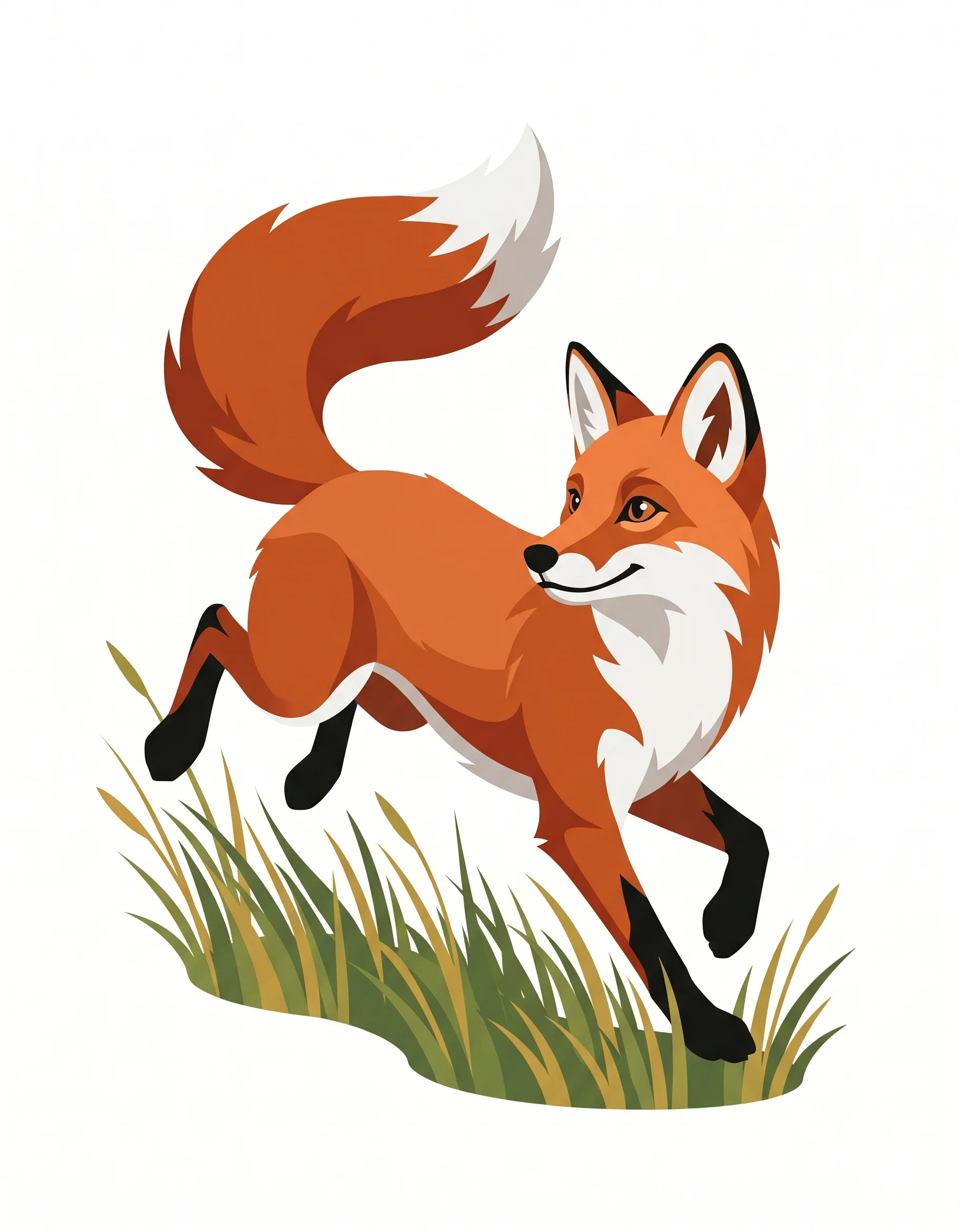

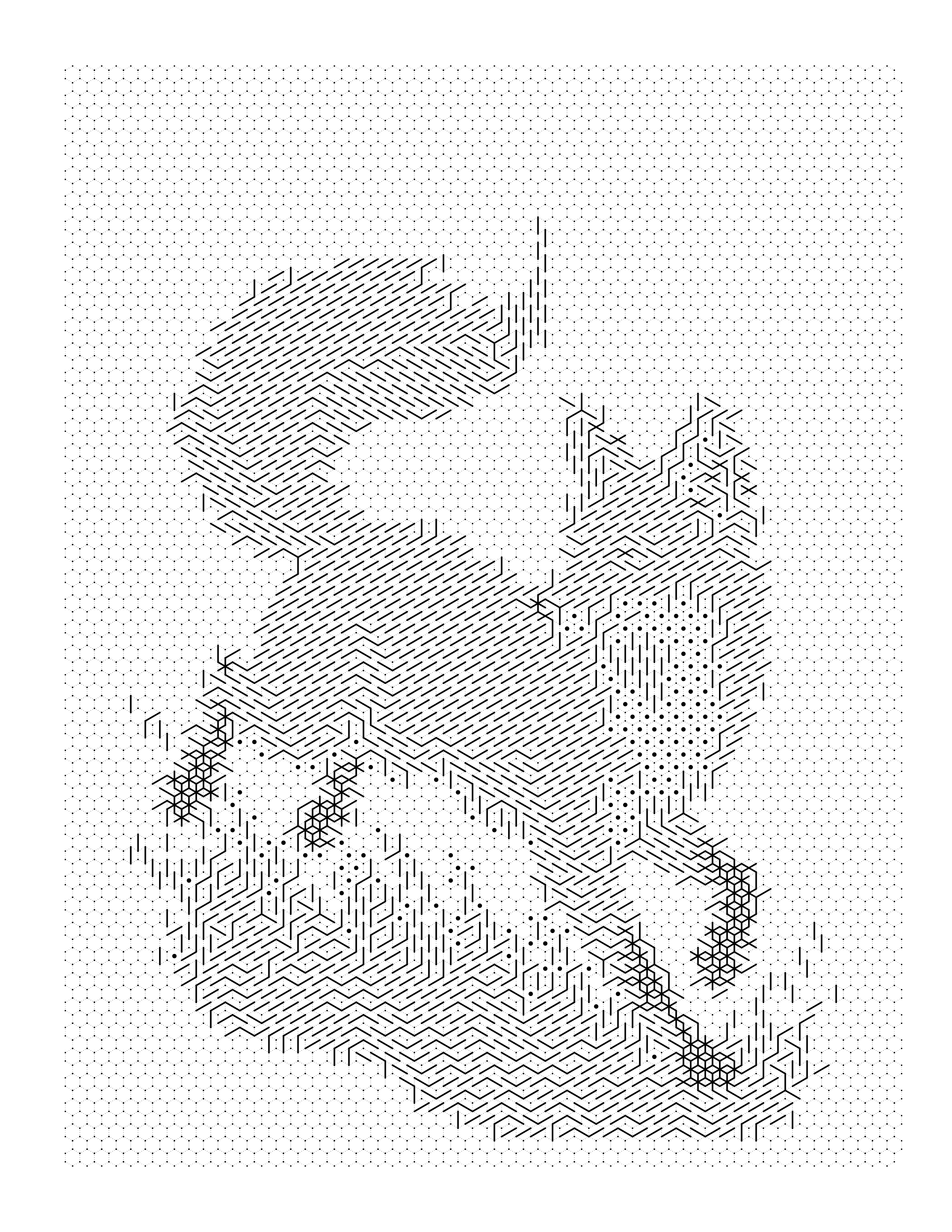
A Mosaci page comes as three things: the blank numbered page you color, a filled preview showing what the finished page will look like, and a palette page that maps each number to a color. The tool reads the color of every pixel and groups similar colors together by color quantization. Nothing is traced, redrawn, or AI-generated, and it all runs in your browser.
What matters for likeness is which information survives the reduction. Too few colors and large cells produce a blocky page where the subject could be anybody. Many colors and tiny cells keep more of the photo but produce a page that is tiring to color. A good custom page sits between those, keeping the colors and shapes that carry likeness, such as the white blaze on a dog's face or the color of someone's hair, and simplifying everything else.
Why People Convert Their Own Photos
The reasons cluster into a few patterns, and they change what the finished page needs to be.
As a gift. The most common reason, and the one with the highest bar. A gift page is colored or looked at by someone who knows the subject well, so likeness in the filled result is everything.
As an activity with a personal hook. Children will stay with a page of their own pet longer than a page of a generic cat, and a numbered page adds the small reward of seeing the animal appear.
As a keepsake. A page made from a photo of a house someone grew up in, or a pet that has died, can be colored slowly, sometimes by more than one person.
As a product. Small creators build gift lines around personalized color-by-number pages, usually sold as a digital download the customer prints. Here consistency matters most.
What People Make Most
What People Order Most
Each subject asks something different of the conversion: groups need room per face, pets need fur simplified, portraits need features kept exact.
A handful of subjects account for most custom pages, and each asks something different of the grid.
Pets are the most popular subject. Owners recognize their own animal from very little information, and fur is easy on a grid because texture averages out into cells. The thing to protect is distinctive markings: a patch of a different color needs enough cells, and enough palette room, to survive. How to Turn a Pet Photo Into a Coloring Page covers the subject-specific handling.
Portraits are the least forgiving. Faces are read precisely, so skin tones and shadows need enough colors to stay distinct, and the face needs enough cells to hold features. Crop so the face is large in the frame; see How to Turn a Portrait Photo Into a Coloring Page.
Family and group photos face a structural problem: every additional person divides the same grid. Four people on one page means each face gets a quarter of the cells a single portrait would. Cropping to two or three people usually beats trying to keep everyone. How to Turn a Family Photo Into a Coloring Page goes further into the tradeoff.
Weddings and special events combine the portrait problem with busy scenes. Tighter crops of one moment work better than wide venue shots, as How to Turn a Wedding Photo Into a Coloring Page shows.
Places and travel memories, such as a childhood home or a favorite building, often work well because they have large areas of distinct color: walls, roof, sky.
What Makes a Photo Work for a Custom Page
What a Custom Conversion Needs From Your Photo
Hard to work with
Converts well
A face that fills the frame in even light converts on the first attempt. A small, dim subject in a busy scene has little for the conversion to keep.
The photo sets a ceiling that no setting can raise. Three properties decide most of the outcome.
How much of the frame the subject occupies. The grid covers the whole image, so a subject that fills the frame gets most of the cells. The same face photographed from across a room gets a small patch of cells, and no setting can add detail that is not there.
Whether the subject separates from the background in color. The palette groups similar colors. A black dog on a dark sofa may end up sharing the same color numbers as the sofa, so the dog dissolves into the background when colored. Daylight or a lighter background resolves most of these cases.
Whether the light is even. A harsh shadow across half a face becomes a block of dark cells that reads as a stain rather than as shading. Soft, even light is worth more than a high-resolution camera.
Megapixel count is not on that list. Almost any recent phone has more resolution than a printed grid needs; Best Photo Resolution for Coloring Pages sets out the numbers. If a promising photo has a fixable flaw, How to Prepare a Photo for Coloring Page Conversion covers the crop and exposure work to do first.
Choosing Palette, Cell Size, and Pattern
Three settings shape a custom page, and the preview updates as you change them.
Color count runs from 4 to 23, with 12 as the default. More colors keep subtle differences, like two shades of fur or skin, but each extra color is one more pencil and one more number to match.
Cell size runs from 12 to 36. Smaller cells hold more of the likeness; larger cells are easier to color, which matters for children or anyone with less steady hands.
Pattern changes the look of the grid. Mosaci offers 8 color mosaic patterns and 2 monochrome mark styles. Color patterns such as Square, Hexagon, and Circle use the palette. Mark styles such as Square Mark render tone with ink marks so the page can be done with a single pen; color count does not apply to them. Every pattern costs 1 credit per image, spent when you download the result. Every account gets 10 free credits per month. The mosaic pattern guide shows all 10 pattern options side by side.
One Page, or a Custom Book?
These are different products with different failure modes.
| Single custom page | Custom coloring book | |
|---|---|---|
| Judged on | How good that one page is | How consistent the set is |
| Best for | A gift, a keepsake, a framed piece | Anniversaries, memorial books, children's gifts |
| Photo requirement | One strong photo | A set of photos of comparable quality |
| Main risk | Weak likeness on the only page | Pages that look like they came from different books |
| Settings | Tuned for that photo | One pattern, cell size, and color count for all |
People often assemble a book by tuning each photo on its own. The pages then look mismatched: one with fine cells, one coarse, one in a different pattern. Deciding the pattern, cell size, and color count once and applying them to every photo produces a better book. How to Create a Coloring Book From Photos covers that in full, and the Coloring Book Generator combines pages into one PDF.
What You Actually Receive
Mosaci exports a print-ready PDF at 300 DPI on an 8.5 x 11 inch page, suitable for home printing or Amazon KDP. A PDF keeps the page's real size, so it prints the same way on any device. You can print one copy or twenty, reprint when a page gets ruined, and choose your own paper. Include the palette page with the numbered page so the person coloring knows which color each number means.
The getting-it-on-paper details are covered in How to Turn a Photo Into a Printable Coloring Page.
You also see a preview before you export. Use it to decide the one thing that matters most, whether this photo was the right one, while you can still switch photos.
The Likeness Bar: Judging a Finished Custom Page
People evaluating a custom page often know it disappoints but not why, so they ask for "more detail," which can make it worse. The Likeness Bar is the Mosaci Studio method for judging a custom page in the order that matters. The checks are sequential: a page that fails an earlier check cannot be rescued by improving a later one.
1. Recognition. Hold the filled preview at arm's length for two seconds. Can you tell who or what it is without being told? If not, the fix is a different photo or a tighter crop, not a different setting.
2. Feature integrity. Look for the two or three things that make this subject this subject: a dog's white blaze, a distinctive hair color, a red front door. Small, low-contrast features are what a limited palette loses first. If one is missing, try a smaller cell size or one or two more colors.
3. Colorable cells. Check whether the blank numbered page can actually be used. Are the cells large enough for the tool the recipient will hold, and are there few enough colors to manage? A page for a five-year-old and a page for an adult colorist fail this check at very different thresholds.
4. Print integrity. Print a test page. Check that the numbers are legible, the cell lines are visible but light, and the palette colors on the key are easy to tell apart on paper.
A worked example: a customer gets a page of their spaniel and says it "doesn't look like him." Check 1 passes; it is clearly a spaniel. Check 2 fails: the white blaze down his face merged into the surrounding fur color. The fix is not the smallest cells across the whole page, which makes it harder to color; it is a little more resolution or one more color so the blaze keeps its own number.
When Custom Attention Is Worth It
Automatic conversion is enough for most clear photos: a single pet or person, well lit, filling the frame, against an uncomplicated background. Can You Turn Any Photo Into a Coloring Page? covers how to tell whether yours qualifies.
Extra care pays off in four situations: group photos where cropping decides who gets the cells; photos with difficult lighting that need correction first; pages meant as gifts, where an unrecognizable result matters; and multi-page sets that need to match. In each case the value added is judgment about the photo and settings.
Ideas Worth Stealing
- A page as part of a card. A numbered page of the recipient's pet folded into a birthday card, with the color key on the back.
- Wedding and party table activities. Pages of the couple or the venue give guests something to do.
- A memorial keepsake. A page of a pet or family member that can be colored slowly, by more than one person.
- A child's own coloring book. A short book of a child's family, house, and pet.
- Classroom activity sheets. Pages made from a class trip, with numbers that double as matching practice for younger children.
Frequently Asked Questions
Conclusion
Custom coloring pages are measured by someone's memory. In Mosaci the page is a numbered grid, so likeness depends on the photo, the palette, and the cell size rather than on drawn lines. Choose a photo where the subject is large and clearly lit, decide upfront whether you are making one page or a matching set, and judge the filled preview with the Likeness Bar rather than by asking for more detail.
The quickest way to see what one of your photos produces is to try it. Mosaci is free to start: make a page with Custom Color by Number, or browse the gallery first to see finished numbered pages and their previews.
Related Articles
Printable quality checklist
- The filled color-by-number preview is recognizable at arm's length
- The features that carry likeness, such as a pet's markings, still show in the preview
- Cells are large enough to color with the tool the recipient will use
- The color key is complete and the palette colors are easy to tell apart
- Every page in a set shares the same pattern, cell size, and color count
Key takeaways
- A custom page is judged on likeness: when the cells are colored in, the person holding it should recognize the subject.
- In Mosaci a custom page is a numbered grid plus a color key, not an outline drawing; the picture appears only as the cells are filled.
- The photo sets the ceiling on quality: a small, dim, or cluttered subject cannot be rescued by palette or cell settings.
- Color count (4 to 23, default 12) and cell size (12 to 36) are the two levers that trade likeness against how easy the page is to color.
- Single pages and custom books are different products; a book is judged on consistency, so keep pattern, cell size, and color count the same across pages.
Frequently asked questions
Can any photo be turned into a custom coloring page?
Most can, but results vary more than people expect. A clear, well-lit photo where the subject fills the frame gives a numbered page whose filled preview is easy to recognize. A dim group shot taken from across a room leaves each face only a handful of cells, so nobody is identifiable. If a photo is the only one you have of a moment, generate the page and judge the filled preview rather than assuming either outcome.
Is a custom page from Mosaci an outline drawing?
No. Mosaci does not trace outlines. It makes a color-by-number page: a grid of empty cells, each holding the number of its palette color, plus a color key. The picture appears as the cells are colored in. If you want a traditional outline page to color freely, that is a different kind of tool.
Are custom coloring pages actually good gifts?
They work best when the recipient has a direct connection to the subject, such as their own pet, their own wedding, or a home they lived in. The appeal is recognition. With a color-by-number page there is the added moment of watching the familiar subject appear as the cells are filled.
Can I turn several photos into one personalized coloring book?
Yes. The main difference from single pages is planning: use the same pattern, cell size, and a similar color count for every photo so the finished set reads as one book. Pages can be exported as a print-ready PDF at 8.5 x 11 inches and 300 DPI.
How detailed should a custom coloring page be?
Detailed enough to carry the likeness, simple enough to color. For a child, that usually means larger cells and fewer colors. For an adult colorist, smaller cells and more colors keep more of the photo, but the page fails if cells shrink below what a colored pencil can fill comfortably.
Do custom pet coloring pages work with long-haired or dark animals?
Long fur works well because the grid averages texture into cells instead of reproducing every strand. Very dark animals against dark backgrounds are harder, because the palette may give the animal and the background the same color numbers. A photo taken in daylight against a lighter background usually solves it.
Can I sell coloring pages made from my own photos?
That depends on the rights to the underlying photo and to any person in it, not on the conversion. A photo you took of your own pet is straightforward; a professional wedding photograph is usually licensed to you for personal use only, and photos of other people generally need their permission before commercial use.
Related tools
Written by
Mosaci Studio TeamThe team behind Mosaci Studio
Mosaci Studio is built to help KDP publishers, Etsy sellers, and hobby artists turn photos into print-ready coloring pages without any design experience.
Published Sep 10, 2026 · Updated Oct 14, 2026